ASSD - Ho(s)tel Management Software PMS 3
Form to create and manage seminars or to combine some separate reservation to a group. The seminar no. connects those reservations. On tab Browse of Reservations column Seminar can be used to filter everything belonging to it. Use different reservation types (or user fields) to accomplish different kinds of billing: e.g. central billing, per participant or combinations. Assigned reservations can contain multiple number of people e.g. families. Using reservation type Allotment rooms and meeting rooms can be blocked ahead of collecting bookings. Allotments can also be used to bill third-party organizers.
See Configuration e.g. reservation types.
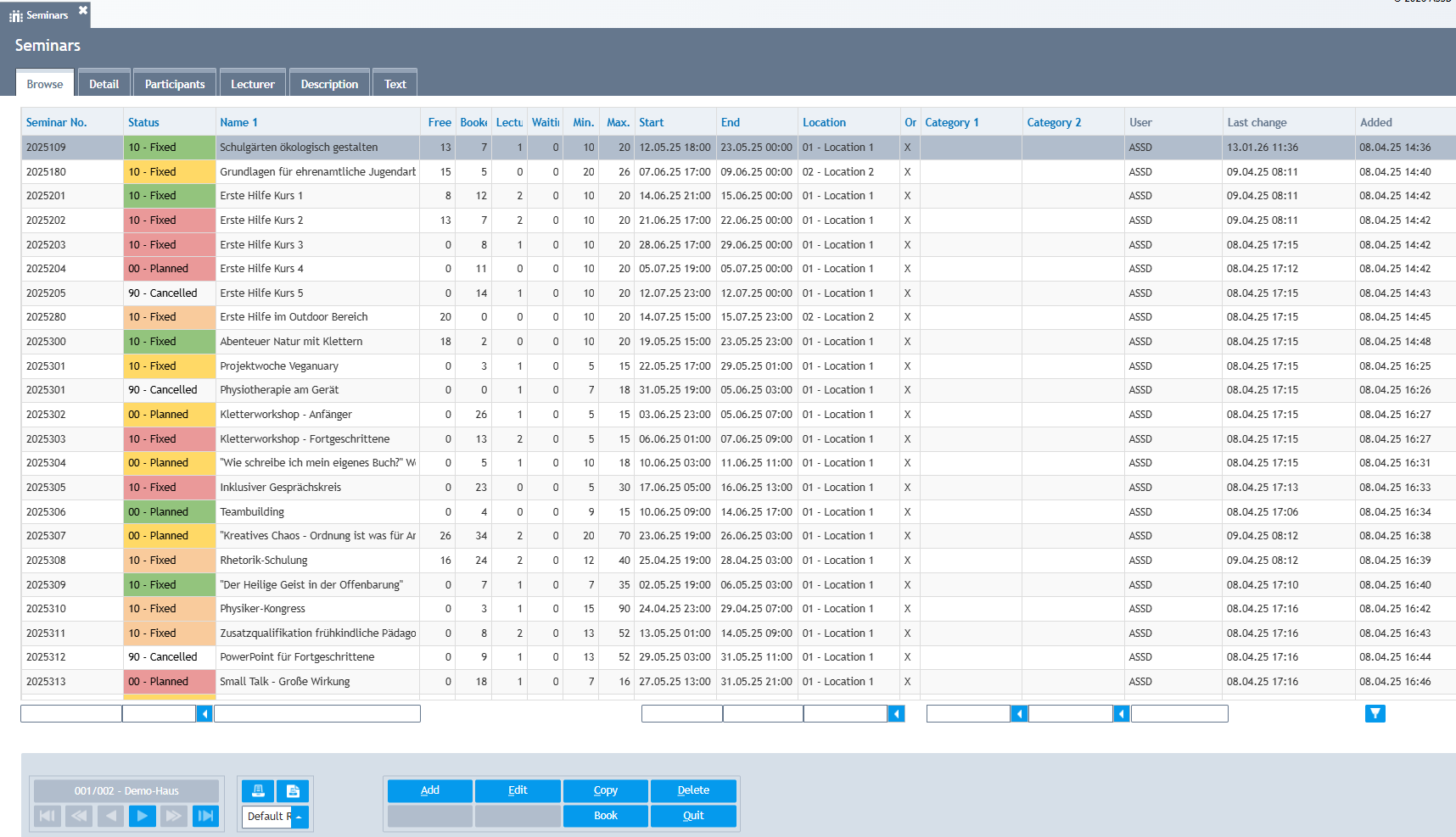
Column Status and its background colour are for flexible usage. Below most columns are filter fields. With the button on the right hand side you can remove any set filter.
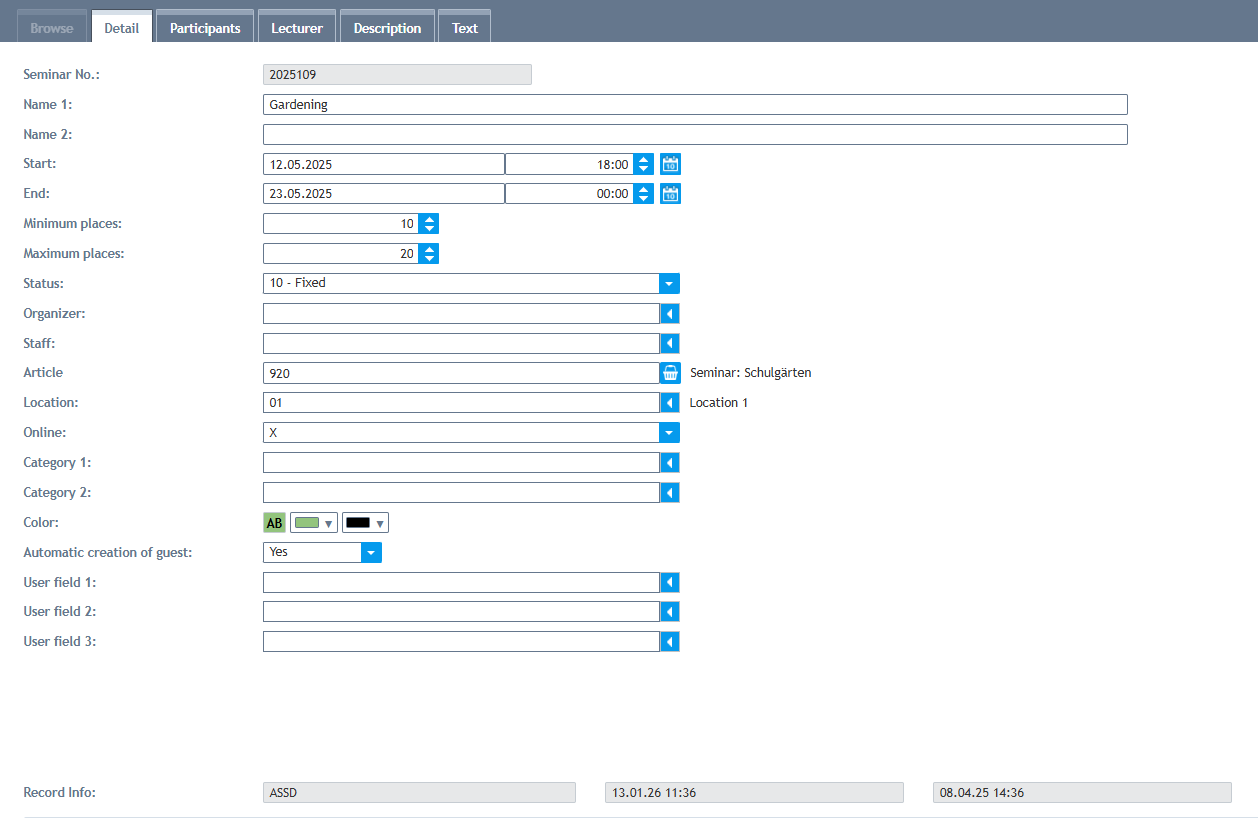
Seminar No.: manually or automatically set seminar ID. Used to connect all transactions and reservations. Can be used in reservations form on tab Browse.
Start/End: those fields are used for creating new participants. Please note that changes at a later stage have no effect on previously created bookings.
Minimum/Maximum places: used for calculating availability
Status: flexible drop down field for planning seminars
Organizer/Staff: flexible fields
Article: article number of a package. It's used for participant billing. Via article exchange different ways of pricing can be accomplished.
Location/Online: flexible fields
Category: flexible fields as filter criteria
Color: flexible for planning
Automatic creation of guest: if set to Y, a new customer/guest entry is created in the background automatically (own number counter). This is useful for setting up room allotments because they rely on a common guest number to be used for reservations.
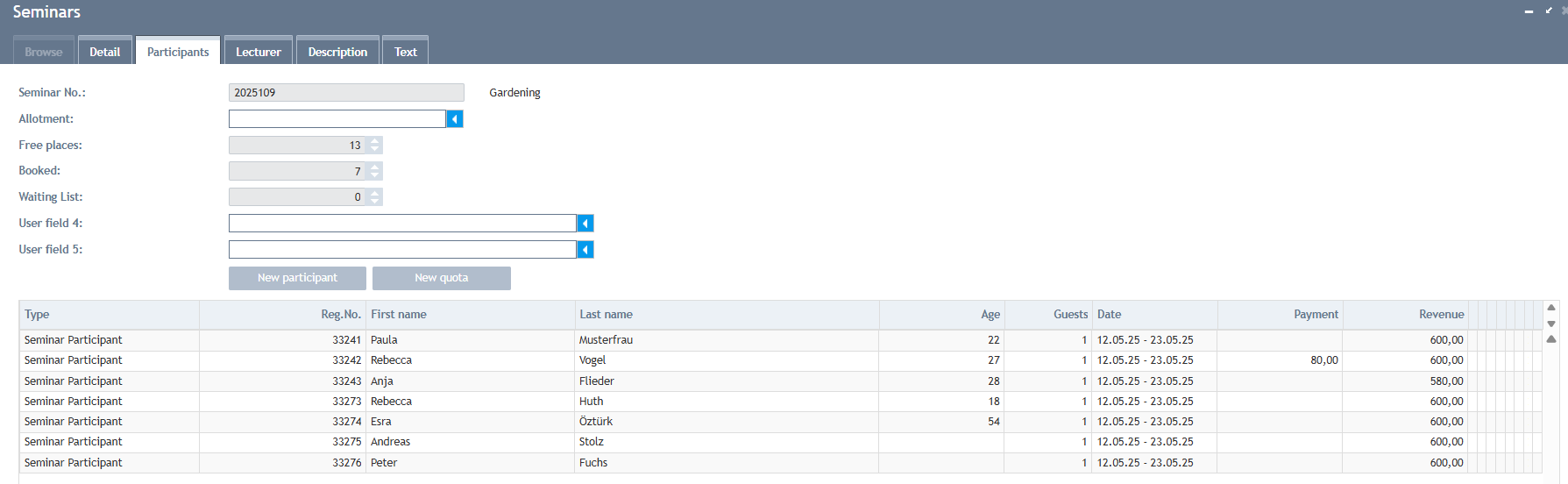
Allotment: a guest number that is used as default for reservation's 'Customer Reservation' to connect a booking with a room allotment. Can be set automatically.
Buttons "New participant", "New quota": used to create an allotment initially or later bookings. An allotment can also be used to bill third party organizers for the whole seminar.
List of participants: a click on Reg.No. opens the corresponding reservation. On the right hand side up to 5 columns can be configured for additional reservation data.