ASSD - Ho(s)tel Management Software PMS 3
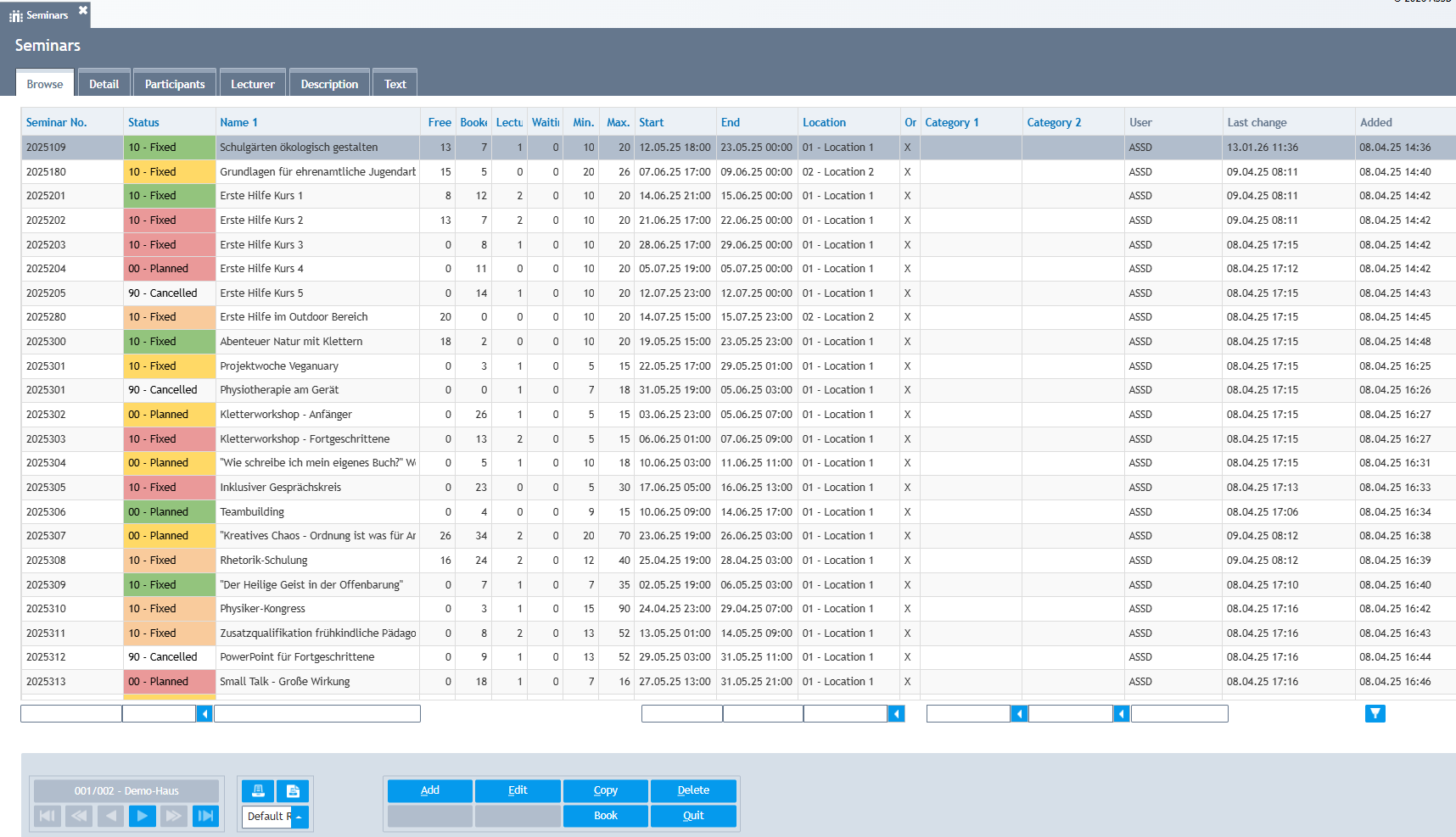
There is a new area to manage seminars or groups that should consist of separate reservations for each participant. Reservations have been enhanced with a new search and filter criteria 'Seminar' (field 'match3'). All details can be found under Seminars.
Configuration:
Usually you create some additional reservation types: at position 71 of the control field you specify counting as participants (=P), lecturers (=L) or waiting list (=W). Position 72 = Y defines to display on tab "Participants" and position 73 = Y displays on tab "Lecturers". This way for example also allotments can be made visible without counting to number of people.
Use menu Settings, Combobox Lists to configure field 'seminar' to define reservation types for the 'Add' buttons: Participants (regcodep), Allotments (regcodew) and Lecturers (regcodel).
Menu Number Counter, field "seminarid" controls automatic creation of seminar ids. The alphanumeric value represents an optional prefix. Field "guest" sets the numbering of automatically created guest numbers for allotments. This way those 'guest' entries are separate from regular guests. Those allotment guest entries can be created automatically in the background.
There are additional grid columns on tab Participants and Lecturers that can be enabled via menu Settings, Labels (sempart01-05, semlect01-05). The reservation field to be displayed (from s_reser) is simply put into 'Description): e.g. nights.